
CSC UCL REGISTRATION
Get Your Free CSC UCL ID!
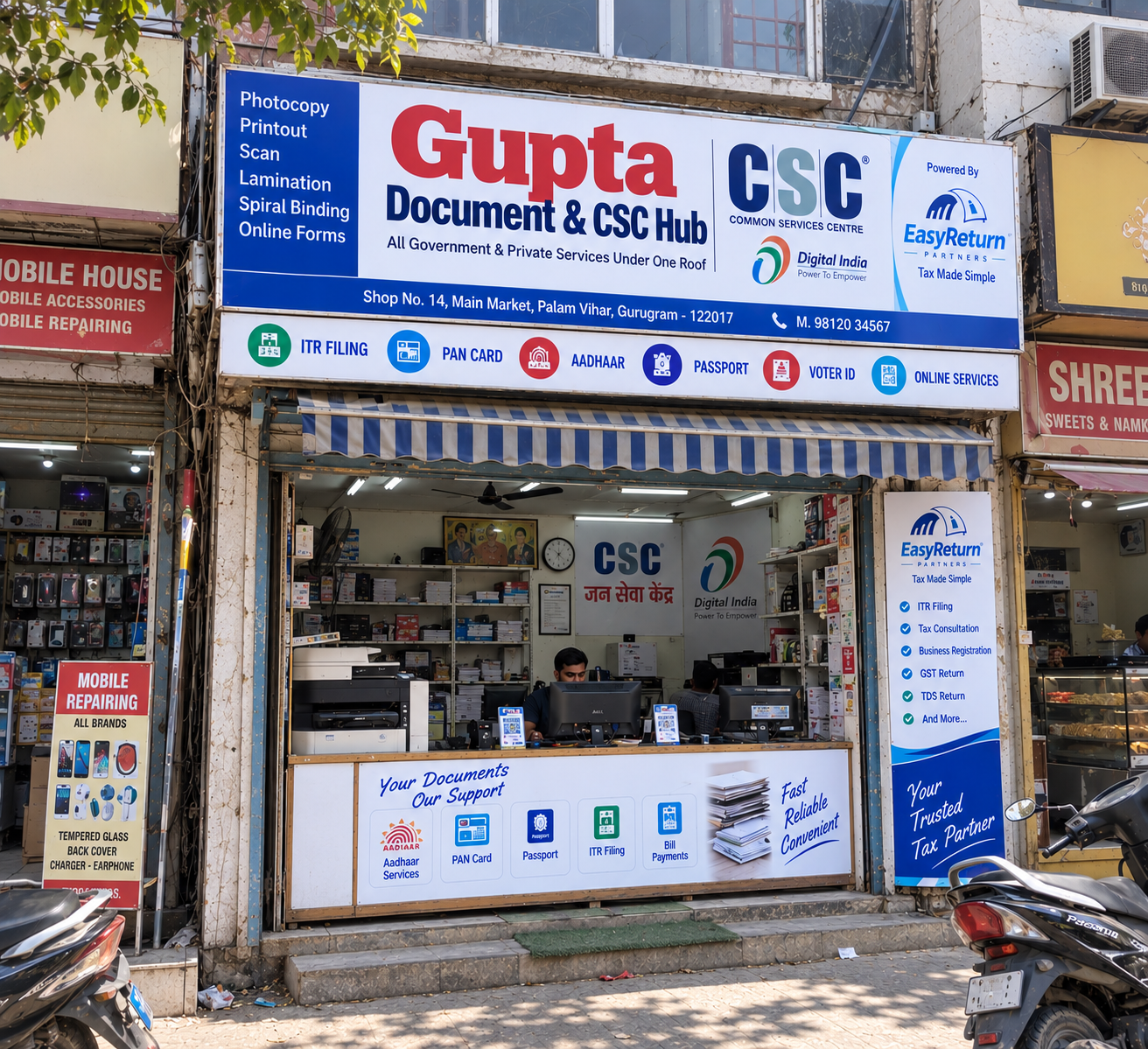


CSC UCL Registration
CSC UCL registration gives a CSC VLE (Village Level Entrepreneur) official permission to offer Aadhaar update services from their own center.
Millions of people across India need help updating their name, address, or mobile number on their Aadhaar card. With a UCL ID, your CSC center becomes the place they come to — and you earn a service fee for every update you process.
This guide answers every question VLEs have about CSC UCL registration: what it is, who can apply, what documents you need, how to apply online, fees, approval timelines, status check, and why applications get rejected.
Everything You Need to Know
Rules, fees, devices, and exam details can change. Always check the latest information on the official UIDAI website and CSC Digital Seva portal before applying.
What Is CSC UCL Registration?
CSC UCL registration is the online process through which a registered CSC VLE applies to get access to UIDAI's Update Client Lite (UCL) software.
Once approved, the VLE's certified operator can update Aadhaar details — like name, address, mobile number, and date of birth — for customers directly from their CSC center.
Who Manages CSC UCL Registration?
UIDAI and CSC have different roles in the Aadhaar UCL registration and service process.
UIDAI
UIDAI (Unique Identification Authority of India) owns the Aadhaar system and sets all the rules — who can operate, what devices are needed, how much to charge, and what standards a center must meet.
CSC
CSC (Common Services Centres) manages the onboarding of VLEs for this service.
CSC Aadhaar UCL registration happens through the CSC portal — not directly through UIDAI.
From Application to UCL ID
Aadhaar Updates Are an Everyday Customer Need
Aadhaar update service is one of the most in-demand services for any CSC center. Every Aadhaar holder is a potential customer — address changes, name corrections, mobile number updates — these are everyday needs in every town and village.
CSC Registration vs CSC UCL Registration: What Is the Difference?
Many VLEs get confused between CSC registration and CSC UCL registration. They are two different things.
| Feature | CSC CSC Registration | UCL CSC UCL Registration |
|---|---|---|
| What it is | Registering as a CSC VLE to run a Digital Seva Kendra | Getting UCL access to do Aadhaar updates |
| Who applies | Anyone eligible to become a VLE | Existing, active CSC VLEs only |
| Result | CSC ID and Digital Seva login | Aadhaar UCL ID for the center's operator |
| Prerequisite | None — this is the first step | Must have a valid CSC ID first |
| Certificate needed | TEC (Telecentre Entrepreneur Course) | NSEIT / UIDAI operator certificate |
CSC registration makes you a VLE. CSC UCL registration lets you do Aadhaar updates at your center. You must complete CSC registration first before applying for UCL registration.
What Does UCL (Update Client Lite) Mean?
UCL stands for Update Client Lite. It is UIDAI's software for updating demographic details in existing Aadhaar records.
It does not support new Aadhaar enrollments — only updates. This makes it simpler and cheaper to set up than a full Aadhaar enrollment center, and the right first step for most VLEs.
Aadhaar demographic update software
UCL Center vs. Full Aadhaar Enrollment Center
Both setups provide Aadhaar-related services, but the services, equipment, cost, and complexity are different.
| Feature | UCL UCL Center | FULL Full Aadhaar Enrollment Center |
|---|---|---|
| Services offered | Demographic updates only | New enrollments + updates |
| New Aadhaar cards | Not allowed | Allowed |
| Equipment needed | Basic authentication devices | Full biometric kit (fingerprint, iris, camera) |
| Setup cost | Lower | Higher |
| Setup complexity | Moderate | High |
| Best suited for | VLEs starting Aadhaar services | Established, high-investment centers |
Start With UCL, Then Expand
For most VLEs, starting with UCL is the smarter move. Once you build a customer base through Aadhaar updates, expanding to full enrollment becomes easier.
Start Free CSC UCL Registration →What Is an Aadhaar UCL ID?
An Aadhaar UCL ID is the login credential given to a certified Aadhaar operator after their CSC UCL registration is approved.
It gives secure access to UIDAI's Update Client Lite software and is used to verify the operator before every Aadhaar update session.
Secure login for a certified Aadhaar operator
Your UCL ID Is Personal
The UCL ID belongs to one certified person only. It cannot be shared, lent, or transferred to anyone else.
The UCL ID is assigned to one certified person only.
It cannot be shared, lent, or transferred to another person.
Every update done using this ID is logged by UIDAI with the date, time, and operator details.
Protect Your Aadhaar UCL ID
Sharing your ID, charging more than the official rate, or processing updates without valid customer documents can get your UCL ID suspended right away.
Repeat violations can get your operator and center blacklisted. Treat your Aadhaar UCL ID like your bank login password — keep it private.
What Is the Aadhaar UCL Portal and How Do You Log In?
The Aadhaar UCL portal is not a separate website you visit directly. You access it through your Digital Seva portal login.
After signing in with your CSC credentials, you can access the Aadhaar UCL section to apply, check your application status, or use the UCL service after approval.
How to Reach the Aadhaar UCL Portal
Follow these steps from the official Digital Seva portal.
Open Digital Seva
Go to the official Digital Seva portal at digitalseva.csc.gov.in.
Log In to Your CSC Account
Sign in using your registered CSC ID and password.
Find Aadhaar UCL
Look for the Aadhaar UCL or UCL Registration section inside the portal.
Apply or Check Status
Use the UCL section to apply, check status, or access the UCL software after approval.
Always Use the Official Digital Seva Portal
Always use the official Digital Seva portal to access the UCL section. Never use third-party links that ask for your login details or ask you to pay for portal access.
Aadhaar Update Services You Can Offer After UCL Approval
Once your CSC Aadhaar UCL registration is approved, your center can help customers update important details on their Aadhaar card.
Name
Spelling corrections and changes after marriage.
Address
Update after moving or correct address-related errors.
Date of Birth
Corrections within UIDAI's allowed correction limits.
Gender
Help customers update their gender details.
Mobile Number
Link a new number or change an old mobile number.
Email ID
Add or update the email ID linked with Aadhaar.
One Aadhaar Update Can Bring a Family Back
Each of these services can bring repeat customers to your center. A family that comes for one person's address update often comes back for other members — or for other services you offer.
Cross-Selling Opportunity
Customers waiting for an Aadhaar update may also need a PAN card, insurance, a bill payment, or a bank account — all available through CSC.
Offering these services in the same visit can build customer loyalty and add to your income without extra effort.
What You Cannot Do With UCL
You cannot create new Aadhaar cards using UCL. UCL is for updates only.
For new Aadhaar enrollment, a separate full enrollment center setup and approval are needed.
Focus on Repeat Customers, Not Big Income Claims
How much you earn depends on your location, customer volume, and the total services your center offers. Focus on building a reliable, repeat customer base rather than chasing big income numbers early on.
What Happens After CSC UCL Registration Is Approved?
Many VLEs ask: what happens next after approval? Here is what to expect.
Operator Gets the Aadhaar UCL ID
Your certified operator receives their Aadhaar UCL ID by email or through the Digital Seva dashboard.
Operator Logs In to UCL Software
The operator logs in to the UCL software using the issued Aadhaar UCL ID.
Accept Aadhaar Update Requests
Your center can now accept Aadhaar update requests from customers.
Verify Supporting Documents
For every update, the customer must bring valid supporting documents, such as address proof for an address change.
Submit the Update Through UCL
The operator processes the update through the UCL software and the changes are sent to UIDAI for verification.
Aadhaar Record Is Updated
UIDAI confirms the submitted changes and updates the Aadhaar record.
Charge the Approved Service Fee
The operator charges the customer the UIDAI-approved service fee — not more, not less.
Display the Official Service Rate at Your Center
Display the official service rate clearly at your center so customers know exactly what to expect before the Aadhaar update is processed.
CSC UCL Registration Eligibility
To be eligible for CSC UCL registration, you need an active CSC account, a UIDAI-certified operator or supervisor, and a center that meets UIDAI's physical and equipment standards.
Who Can Apply for CSC UCL Registration?
Any active CSC VLE with a valid CSC ID and a working Digital Seva portal login can apply. The center must have a UIDAI-certified Aadhaar operator or supervisor and must meet the setup requirements from UIDAI.
You must have a valid and active CSC ID.
Your Digital Seva portal access must be active.
A UIDAI-certified Aadhaar operator or supervisor must be available at the center.
Your center must meet UIDAI's physical and equipment standards.
A valid police verification certificate is required for the operator or supervisor.
Can a New VLE Apply for UCL Registration Right Away?
Not immediately. A new VLE must first complete CSC registration and get an active CSC ID and Digital Seva login.
Once the VLE account is active and in good standing, they can start the UCL registration process — provided their operator also holds a valid UIDAI certificate.
There is no mandatory waiting period after CSC registration, but all eligibility conditions must be met before applying.
What If My CSC ID Is Not Active?
If your CSC ID is inactive, you cannot apply for CSC UCL registration. An inactive CSC ID may also restrict your Digital Seva portal access.
Reactivate Your CSC ID First
Log in to the Digital Seva portal and check your VLE account status.
If inactive, contact CSC support or your district manager to find out why.
Reactivate your CSC ID by completing pending requirements such as missing documents or verification.
Once your CSC ID is active again, proceed with UCL registration.
Do not try to apply for UCL registration with an inactive CSC ID — your application will not be accepted.
Is the NSEIT Certificate Mandatory for CSC UCL Registration?
Yes. The UIDAI operator/supervisor certification — commonly called the NSEIT certificate — is required for CSC UCL registration.
The person who will handle Aadhaar updates at your center must have a valid, current certificate. Applications without this certificate are rejected.
UIDAI has run this certification exam through NSEIT as its testing partner. Testing partners and procedures can change, so always check the official UIDAI website for the current exam process before applying.
Visit the official UIDAI website and check the current certification exam details.
Register for the UIDAI operator/supervisor certification exam.
Prepare using official UIDAI study materials.
Pass the exam and download your certificate.
Apply for CSC UCL registration only after your certificate is ready.
Can One Center Use Multiple Operators?
Yes, a single CSC center can register more than one certified operator — but each operator must individually hold a valid UIDAI certificate and meet all eligibility conditions.
This rule is strictly enforced by UIDAI to maintain accountability for every Aadhaar update.
CSC UCL Registration: Documents Required
Collect all documents before you start filling the form. The application often does not allow corrections after submission. A missing or wrong document is one of the top reasons for rejection.
Documents Needed
VLE and Center Details
| Document / Detail | Notes |
|---|---|
| CSC ID | Must be active and in good standing |
| Digital Seva portal login | Account must be active |
| VLE bank details | Include BC code if applicable |
| State, district, and PIN code | Must exactly match your registered CSC address |
| Full center address | As listed on your CSC profile |
| Registered mobile number | Must be active and reachable |
| Email ID | Used for updates, alerts, and communications |
Operator and Supervisor Documents
Valid NSEIT / UIDAI certification.
Should not be older than 3 months.
e-Aadhaar of the operator or supervisor.
Mobile number linked with the operator's Aadhaar.
Keep one additional active contact number ready.
Hardware and Center Requirements
UIDAI sets clear equipment and facility standards for UCL centers. Your center should have the required setup ready before verification.
Should meet UIDAI hardware specifications.
Keep a working color printer at the center.
Display equipment should be available and functional.
UIDAI-approved fingerprint and iris devices only.
Check Approved ListKeep required location-verification equipment ready.
Stable internet connection is required.
Camera should cover the service area.
Adequate seating should be available.
Ramp or wheelchair-friendly access should be available.
Maintain an organized customer queue.
Basic toilet and sanitation facilities should be available.
Check UIDAI's Approved Device List Before Buying
UIDAI maintains an approved list of devices for Aadhaar operations. Do not buy any biometric device before checking this list on the official UIDAI website.
Using a non-approved device can lead to your application being rejected.
Take Clear Photos of Your Center Before Applying
Take clear photos of your equipment, seating, ramp, CCTV, and overall center setup before you submit the application. Verification teams may ask for center photos during review. Keeping them ready can save time and help avoid delays.
How to Apply for CSC UCL Registration Online
The entire UCL registration online process happens through the CSC Digital Seva portal. There is no offline option. Everything — from filling the form to submitting documents — is done online.
Before You Start
Confirm your Digital Seva portal login is active and working.
Check that your name, address, and mobile number on the portal match your documents exactly.
Prepare all document scans in the correct format and within the required file-size limits before opening the form.
How to Avoid Upload Mistakes
Wrong file formats and blurry scans are among the common reasons applications can be delayed or rejected.
Scan documents at 200–300 DPI for clear, readable images.
Use PDF or JPG format unless the application form specifies otherwise.
Keep every file within the portal's stated upload limits.
Do not upload dark or blurry phone-camera photos. Proper scans are better.
Use clear file names so each document is easy to identify during upload.
Upload and preview every document before submitting the application.
Step-by-Step CSC UCL Registration Online Process
Follow the application process carefully and verify every detail before final submission.
Log In to Digital Seva
Log in to the Digital Seva portal using your CSC ID and password.
Open Aadhaar UCL Registration
Go to the Aadhaar UCL registration section inside the portal.
Enter VLE and Center Details
Enter your full address, PIN code, district, and bank details carefully.
Enter Operator / Supervisor Details
Enter operator details, including certification number and certificate validity details.
Upload Required Documents
Upload all documents in the required format and within the portal's file-size limits.
Check Every Field Carefully
Review all entered information before submission. If editing is restricted after submission, even a small mistake can cause delays or rejection.
Submit and Save Acknowledgment
Submit the application and save your acknowledgment number immediately.
Contact Your CSC District Manager
Confirm receipt of the application and ask about any next steps or pending verification.
Apply Only Through the Official CSC UCL Portal
Always use the official CSC UCL section through your Digital Seva login. Never pay a third party or agent to submit your application.
No fees are charged at the official application stage, and unauthorized agents cannot speed up any government approval.
What Happens After You Submit?
After you submit your CSC UCL registration form, CSC and your district team review your documents for completeness and accuracy.
They may also conduct a physical inspection of your center to confirm that your hardware and facilities meet the required standards. If everything is in order, your certified operator receives their Aadhaar UCL ID.
Applications can get delayed if the VLE misses a call or does not respond to a message from the district team.
Register for CSC with Easy Return
If you are not yet a CSC VLE, start your CSC registration journey with Easy Return and get assistance with the registration process.
Start Easy Return CSC Registration →CSC UCL Registration Fees: Is It Free?
Yes — CSC UCL registration has no application fee. Applying through the official portal is completely free. But you will have separate costs for the certification exam, hardware, and center setup.
CSC UCL Registration Is Free
There is no application charge for submitting a CSC UCL registration request through the official process.
Fee Summary
Free
Paid to exam agency
Paid by VLE
Paid by VLE
| Cost Item | Who Pays | Details |
|---|---|---|
| Application fee | No one | Free on the official CSC UCL portal |
| UIDAI certification exam fee | VLE / operator | Paid directly to the exam agency |
| Hardware and devices | VLE | Laptop, biometric devices, CCTV, GPS, etc. |
| Center setup | VLE | Ramp, seating, queue system, toilet, etc. |
When people search “aadhar ucl id free” or “ucl registration free” — yes, the registration and the UCL ID are free. What costs money is getting certified and setting up a UIDAI-compliant center.
Charge Only the Official Service Fee
UIDAI sets the official service fee for each Aadhaar update. Display this fee at your center and charge exactly that amount — not more, not less.
Overcharging can lead to action against the operator or UCL ID.
How Long Does CSC UCL Registration Take?
There is no fixed official approval timeline for CSC UCL registration. Some applications may move faster than others depending on document review, inspection, and local availability.
Actual approval time can vary by application and district.
Even a small mismatch can cause the application to be returned for correction.
Inspection timing depends on your district team's availability.
Some districts may have limited UCL slots available at a given time.
The best approach is to submit a complete, error-free application and stay in regular contact with your CSC district manager.
How to Check CSC UCL Registration Status
Keep your acknowledgment number ready and use the following channels to follow your application.
Digital Seva Dashboard
Log in and check for UCL application status updates in your VLE account.
District Manager Follow-Up
Call or message your CSC district manager and provide your acknowledgment number.
CSC Helpdesk
Use CSC technical support for portal issues or escalations when required.
You will need it for every status follow-up, support request, call, or message.
What to Do If Your Application Is Pending Too Long
If your status has not changed for several weeks, follow up in a structured way rather than submitting another application.
Contact your CSC district manager and quote your acknowledgment number.
Ask whether your application is in document review or center inspection.
If needed, raise a ticket with the CSC central helpdesk.
Keep a record of follow-up dates, times, and what was discussed.
Do not resubmit unless you are explicitly asked to do so.
Duplicate submissions can create confusion and may lead to further delays.
Common Reasons CSC UCL Registration Gets Rejected
Most rejections happen because of small, avoidable mistakes. Reviewing these points before submission can reduce errors.
| Rejection Reason | How to Fix It |
|---|---|
| Missing or expired NSEIT certificate | Pass the UIDAI exam and make sure the certificate is current before applying |
| Police verification older than 3 months | Get a fresh certificate within the required period |
| Name mismatch across documents | Make sure your name is spelled exactly the same on Aadhaar, certification, and CSC profile |
| Hardware not meeting UIDAI specs | Check the current approved device requirements and replace non-compliant equipment |
| Incomplete center facilities | Ensure the required ramp, CCTV, seating, queue system, toilet, and other facilities are ready |
| Blurry or wrong-format document uploads | Scan documents clearly and follow file type and size requirements |
| Incorrect or incomplete form fields | Review the entire form carefully before final submission |
| Inactive CSC ID | Reactivate your CSC account before applying |
| Non-approved biometric devices | Use only devices that meet the current approved requirements |
Pre-Submission Checklist
Check every item before you click the final submit button.
Start Your Free CSC UCL Registration
Make sure your documents and center setup are ready before starting the application.
Frequently Asked Questions About CSC UCL Registration
Clear answers to the most common questions CSC VLEs have about UCL registration, eligibility, fees, approval, operator certification, and Aadhaar services.
01 What is an Aadhaar UCL ID?
An Aadhaar UCL ID is the login credential given to a UIDAI-certified operator after CSC UCL registration is approved. It gives secure access to the Update Client Lite software to process Aadhaar detail updates.
The ID belongs to one operator only and cannot be shared or transferred to anyone else.
02 How do I apply for CSC UCL registration online?
Log in to the Digital Seva portal using your CSC ID. Open the Aadhaar UCL registration section, fill in your VLE, center, and operator details, upload all required documents, and submit the form.
Save your acknowledgment number and follow up with your CSC district manager for the next steps.
03 What is the difference between CSC registration and CSC UCL registration?
CSC registration makes you a registered VLE and gives you a CSC ID and Digital Seva login.
CSC UCL registration is a separate process that gives your certified operator access to UIDAI's UCL software to do Aadhaar updates.
You must complete CSC registration first. UCL registration is not possible without an active CSC ID.
04 Is CSC UCL registration free?
Yes. Applying through the official CSC UCL portal has no registration fee.
You pay separately for the UIDAI certification exam, hardware, and center setup. Do not pay any agent or third party to submit your application — the official process is free.
05 Is the NSEIT certificate required for CSC UCL registration?
Yes. A valid UIDAI operator/supervisor certification, commonly called the NSEIT certificate, is mandatory.
The person handling Aadhaar updates must hold this certificate. Applications without it are rejected. Get your certificate before applying.
06 How long does CSC UCL registration approval take?
There is no fixed official timeline. Approval can take a few weeks to several months.
It depends on document accuracy, center inspection, and UCL slot availability in your district. Submit a complete application and stay in regular contact with your district manager.
07 How do I check my CSC UCL registration status?
Log in to your Digital Seva dashboard and check for status updates.
You can also contact your CSC district manager with your acknowledgment number, or reach out to the CSC helpdesk for escalations.
Always keep your acknowledgment number saved for follow-ups.
08 What if my application is pending for a very long time?
Contact your CSC district manager with your acknowledgment number and ask for a specific update.
If that does not help, raise a support ticket with the CSC central helpdesk. Keep a record of every follow-up.
Do not resubmit the form unless the district team or helpdesk asks you to.
09 Can I get an Aadhaar UCL ID for free?
Yes. The Aadhaar UCL ID itself is issued for free through the official CSC process.
Your costs are the certification exam, hardware, and center setup. Anyone asking for money to give you a UCL ID is not operating through official channels — avoid them.
10 Can one center use multiple Aadhaar operators?
Yes. A CSC center can have more than one certified Aadhaar operator.
Each operator must hold their own valid UIDAI certificate and gets their own UCL ID. Operators cannot share IDs, even within the same center.
11 Can I register new Aadhaar cards with UCL?
No. UCL supports demographic updates only — name, address, date of birth, gender, mobile number, and email ID.
New Aadhaar enrollment needs a full enrollment center with complete biometric equipment and a separate UIDAI approval.
12 Where do I access the Aadhaar UCL portal?
You access the UCL portal through your Digital Seva login on the official CSC website.
Log in with your CSC credentials and navigate to the Aadhaar UCL registration section. Always use the official portal. Never enter your CSC credentials on any unofficial site.
13 Can a new VLE apply for UCL registration immediately?
Not immediately. You must first have an active CSC ID and working Digital Seva login.
Once your CSC account is active, you can apply for UCL registration — as long as your operator also holds a valid UIDAI certificate and your center meets all required standards.
Start Your CSC UCL Registration
Make sure your CSC ID, operator certification, documents, and center setup are ready before applying.
Get Your CSC UCL Registration Done Right
CSC UCL registration opens your Digital Seva Kendra to one of the most in-demand services across India. The process becomes much easier when you prepare everything correctly before applying.
Get Certified First
Your operator or supervisor must hold a valid UIDAI certificate before you apply — no exceptions.
Sort Your Documents & Center
Make sure every detail matches across your documents and that your center setup meets the required standards.
Apply Online & Follow Up
Submit through your Digital Seva login, save your acknowledgment number, and stay in regular contact with your district manager.
Use the Pre-Submission Checklist
One small error — a mismatched name, an expired certificate, or a blurry scan — can push your approval back by weeks. Review everything carefully and try to get it right the first time.
Once your Aadhaar UCL ID is issued, you are ready to serve your community from your own center.
CSC and UIDAI may update their rules, device requirements, fees, and exam processes from time to time. Always verify the latest requirements on the official UIDAI website and CSC Digital Seva portal before you apply.
Start Your Free CSC UCL Registration
Prepare your documents, verify your eligibility, and begin your CSC UCL registration process.
Start Free CSC UCL Registration →