
CSC Registration Online Free
Register online and offer tax, financial, insurance, travel & documentation services from one platform.
अब CSC REGISTRATION KAREIN AUR कमाए Rs 50000-100000/- महीना
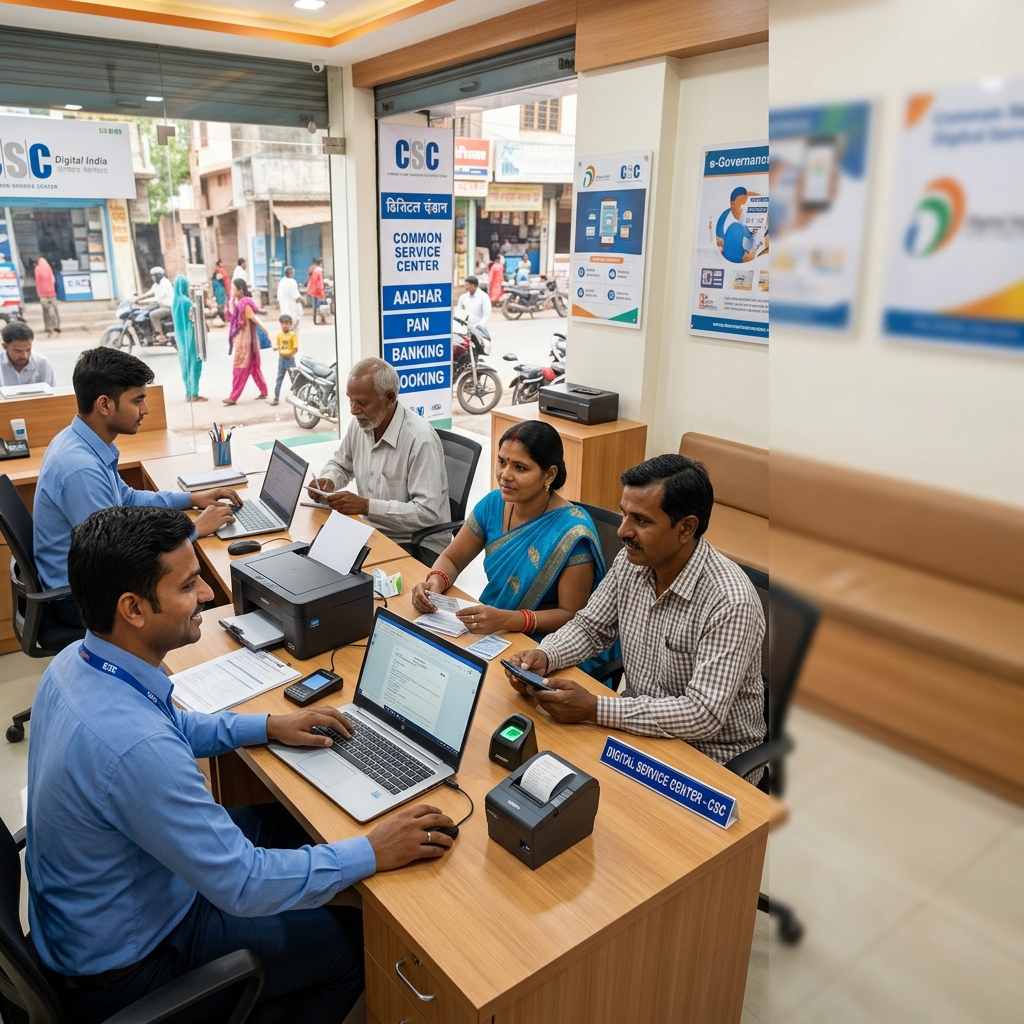
CSC ID Registration Free with Easy Return
Start offering useful digital, tax, financial, travel, insurance and documentation services to customers in your local area through one platform.
No Joining Fee
Start your CSC portal registration without paying a joining or franchise fee. Start Without Any Exam.
Multiple Services
Offer tax, documentation, financial, insurance and travel-related services from one platform.
Expert Support
Get guidance and platform support while learning and managing your digital service center.
Start Locally
Serve customers in your local area and build long-term relationships with individuals and businesses.
Repeat Customers
Tax, GST, insurance, travel and financial services can give customers multiple reasons to return.
Manage Multiple Services
Access multiple service categories through one platform instead of managing several different systems.
Services You Can Offer From Your Center
No Joining Fee. No Exam. One center. Multiple services. More opportunities to serve your local customers.
Start Your CSC Service Center
Fill in the registration form below to start your Easy Return CSC service center partner registration.
powered by Advanced iFrame
What You Will Get After CSC Registration?
After getting your Easy Return Suvidha Kendra Retailer ID, you receive practical support to help you understand the portal, promote your business, and resolve day-to-day queries. If you're preparing to apply, you can first review the CSC registration process.
Training From Experts
After receiving your Easy Return Suvidha Kendra Retailer ID, you will get training on how to work with the Easy Return portal. Live training is provided by our expert team.
- Live portal training
- Guidance from experts
- Training videos for reference
Advertisement Support
Get free personalized promotional banners and shop banners to help market your digital service center and grow local awareness.
- Personalized promotional banners
- Shop banner support
- Use on Facebook, Instagram & WhatsApp
Chat & Calling Support
You will get chat and calling support from our team. If you face a problem while using the platform, the support team can guide you and help resolve your queries.
- Chat support
- Calling assistance
- Guidance in Hindi, English & Punjabi
Training + Marketing Support + Customer Assistance — everything is designed to help you use the Easy Return platform with more confidence.
Who Can Open a CSC Service Center?
CSC center registration is open to a wide range of applicants across urban, semi-urban, and rural India. If you have a fixed location, a computer or smartphone, and an internet connection, you can apply CSC ID.
See Where You Fit
Shop Owners
Kirana stores, mobile recharge retailers, stationery shops, and general merchandise outlets can add CSC-related services to their existing setup.
Cyber Cafe Owners
Cyber cafe operators already have computers, internet access, and customers who need digital services.
Documentation Centers
Form filling, printing, photocopying, and document service providers can add PAN, ITR, GST, and other support services.
Local Entrepreneurs
Anyone looking to start a structured local service business can explore a CSC service center with a dedicated workspace, computer, and internet.
Rural Service Providers & VLE Applicants
CSC centers bring digital services closer to rural and remote communities. Rural and semi-urban applicants can explore the appropriate registration pathway for their situation.
Other Eligible Applicants
The opportunity can also be relevant for professionals and individuals looking to expand their services or start a new CSC service center business.
Whether you already run a local business or are starting a new service center, your existing setup can be a strong starting point for CSC-related services.
Services You Can Offer Through Easy Return
Once registered, you can access multiple digital, tax, financial, insurance, travel and documentation-related service categories from one partner dashboard.
PAN Card Services
New PAN card application support, corrections and other PAN-related customer assistance.
ITR Filing
Income tax return filing support for salaried individuals, businesses and other eligible taxpayers.
GST Registration & Filing
GST registration, return filing and related compliance assistance for business customers.
Insurance Services
Assist customers with available motor and other insurance-related service requirements.
Aadhaar Card Related Services
Provide assistance with available Aadhaar-related customer services and documentation support.
Money Transfer Services
Help customers access available digital money transfer and related financial services.
Train Booking Services
Provide railway ticket booking assistance to customers through available travel services.
Business Loan & Project Reports
Assist business customers with CMA data, project reports and other eligible loan documentation services.
More Services Give Customers More Reasons to Return
Tax filing, GST compliance, insurance renewals, financial services, travel booking and documentation needs can arise throughout the year — giving you multiple opportunities to serve existing and new customers.
How to Register — Step by Step
CSC center registration through Easy Return is fully online and free of charge.
Fill the Registration Form
Open the Easy Return portal, enter your basic personal and business details, and select your CSC registration type.
Fill Required Details in Registration Form
Enter all required details carefully in the registration form and verify the information before proceeding.
Document Verification
Our team reviews and verifies all submitted CSC registration documents.
Dashboard Access
Once verified, you receive access to your partner dashboard with all active CSC service modules. You can review the list of CSC services to understand the different services available.
Training & Onboarding
We provide step-by-step guidance on how to use the portal and deliver each CSC service correctly.
Begin Service Delivery
Start serving customers from your location and earn commissions on every completed transaction. To understand potential income, read our guide on how much a CSC center earns.
There are no application fees, joining fees, or hidden charges at any stage of the CSC registration process.
Earning Potential as a CSC Partner
Build your earning potential by offering multiple CSC-related services and serving customers throughout the year.
More Services. More Transactions. More Earning Potential.
CSC-related services generate income throughout the year because demand for government and financial services remains consistent.
Offer multiple CSC service categories through your partner dashboard.
Complete service requests for customers in your local area.
Receive a fixed commission on every completed transaction.
What Can Increase Your Earning Potential?
Commission on Every Transaction
A fixed commission is paid on every completed transaction.
Increase Your Service Mix
Activating more CSC services increases your earning potential.
ITR Filing Season
ITR filing peaks during the tax season, generating additional transaction volume.
Customers Come Back
Annual insurance, GST, and ITR requirements can bring customers back each year.
Build Consistent Local Demand
Earnings scale with your activity level and the number of CSC services you offer. Partners who stay active across multiple categories and build a consistent local customer base can develop a reliable monthly income over time.
Actual earnings vary based on service mix, customer volume, and local demand.
CSC Registration: Complete Guide for Beginners
CSC Registration helps people start a local digital service center where customers can get help with government, financial, tax, insurance and documentation-related services without travelling far.
Apply for your Easy Return CSC service center partner registration without appearing for an exam.
Official Common Service Centers are part of the Digital India ecosystem. Easy Return operates an independent CSC-like digital service center partner model where retailers can offer multiple digital and financial services through the Easy Return platform.
What Is CSC Registration?
Imagine living in a village or small town and needing a PAN card, bill payment service, banking help or another digital service. Travelling to a city every time can take both time and money.
A Common Service Center (CSC) helps solve this problem by making important digital services available closer to people's homes.
In the official CSC system, registration allows an eligible person to become a VLE — Village Level Entrepreneur. A VLE operates a service center and helps citizens access different government and private services.
What Are Common Service Centers (CSCs)?
Common Service Centers are physical digital service points designed to make online services easier to access in rural, urban and remote areas.
They can act as local access points for services related to government schemes, banking, insurance, education, documentation and other digital facilities.
Simple Definition of CSC
A CSC is a digital service center associated with the Digital India ecosystem. Its purpose is to help citizens access online and e-governance services, especially in places where direct access may be limited.
Purpose of a CSC Center
The main purpose of a CSC is to make useful digital services available closer to citizens. This can reduce the need to travel long distances for basic documentation, financial or government-related work.
- Help citizens access digital services locally
- Support government scheme applications
- Assist with utility and financial services
- Improve digital access in rural areas
Role of CSC in the Digital India Initiative
CSCs support the broader goals of the Digital India initiative by helping more people access online services and use digital platforms.
They can also support digital awareness, access to government schemes and service delivery in rural and remote regions.
List of Services Offered Through CSC
Depending on the platform and available authorisations, a digital service center may help customers with different types of services.
Who Is a VLE?
VLE stands for Village Level Entrepreneur. A VLE operates a Common Service Center and helps people access available digital and government-related services.
In simple words, a VLE acts as a local bridge between digital services and the people who need them.
Key Objectives of Common Service Centers
- Promote digital literacy and inclusion
- Make digital services easier to access
- Create local entrepreneurship opportunities
- Improve access to government-related services
Benefits of Common Service Centers
- Opportunity to build a local source of income
- Help people in your community
- Build a digital service business
- Offer multiple public and private services
Requirements for CSC Registration
The requirements for official CSC/VLE registration can include basic identity, age, education and computer knowledge criteria.
- Valid Aadhaar number
- Minimum age of 18 years
- Basic computer knowledge
- Required background verification
- Minimum educational qualification as applicable
Easy Return CSC Center Registration Process
If you want to start an Easy Return CSC-like service center, the partner registration process is simple and can be completed online.
Start your online registration through the Easy Return CSC partner portal.
Fill in your name, mobile number, email, address and other required information.
Submit the required identity and business-related documents for verification.
After successful verification, you can receive access to the Easy Return partner platform.
Use the portal to submit eligible customer service requests and manage available services.
Contact Details for Assistance
Need help with Easy Return partner registration or platform-related questions? You can contact the support team.
Example: How a Local Digital Service Center Can Help
Consider a young person living in a small town who wants to start a local business. Instead of investing in a large office, they can create a small digital service point and help nearby customers with services such as PAN applications, ITR filing, insurance, bill payments and financial services.
As more people begin using the center, the operator can build local trust and create additional earning opportunities by offering more services.
CSC Registration in India
The figures supplied in the source content for August 2024 show the large scale of the Common Service Center network in India.
Conclusion
Common Service Centers have made digital services easier to access in many villages, towns and remote areas. They help connect citizens with useful online, financial and government-related services.
If your goal is to start a local digital service business, Easy Return provides an independent CSC-like partner model where you can offer multiple services through one platform.
Start Your Easy Return Digital Service Center
Complete your free partner registration and start exploring the services available through the Easy Return platform.
Register Free → Start Your CSC Service CenterFrequently Asked Questions
Find answers to common questions about CSC registration, eligibility, documents, services, and becoming an Easy Return partner.
Our support team can guide you through the CSC registration process and help you understand the applicable requirements.
01 What is CSC registration in India? +
CSC registration is the process of setting up a location as a Common Service Centre — a local point where citizens can access digital government and private services. Operators who complete the registration process are commonly referred to as VLEs. They serve their local community and earn a commission on completed transactions. CSCs operate under the Digital India Programme, overseen by MeitY.
02 Who is eligible for CSC center registration? +
Any Indian citizen aged 18 or older with a fixed location and internet access can apply. Eligible applicants include shopkeepers, cyber cafe owners, documentation centers, retailers, local entrepreneurs, rural VLE applicants, SHG members, RDD-registered individuals, computer center operators, insurance agents, NGO workers, and individuals starting a new CSC service center. Eligibility requirements may vary by applicant type and registration pathway.
03 Is there any fee for CSC registration? +
No. CSC registration on the Easy Return portal is completely free. There are no application fees, joining fees, or hidden charges at any point in the CSC registration process.
04 What documents are needed for CSC center registration? +
Required CSC registration documents include an Aadhaar card with a linked mobile number, PAN card, passport-size photograph, bank account details, educational qualification certificate, shop or workspace address proof, and a TEC certificate for individual VLE applicants.
05 Is a TEC certificate required for CSC registration? +
A TEC (Telecentre Entrepreneur Course) certificate is required for individual VLE applicants following the standard CSC registration pathway. SHG and RDD applicants typically follow a separate route with different requirements. Contact our support team for guidance on which pathway applies to you.
06 What equipment is needed to open a CSC service center? +
You need a dedicated workspace, a computer or laptop with internet access, a printer, a webcam, and a biometric device for applicable banking-related services. Exact requirements may vary depending on the CSC service categories you activate.
07 Can I open a CSC service center from home? +
Yes. If you have a dedicated workspace at home with the necessary equipment and internet access, you can register and operate a CSC service center from home.
08 Do I need tax or technical knowledge to get started? +
No. You collect documents from customers and submit requests through the portal. Our Chartered Accountants and trained professionals handle all ITR filing, GST processing, documentation, and backend work. No prior knowledge of taxation or technology is required.
09 How do I check my CSC registration status? +
After submitting your application, you will receive a reference number on your registered email. Use this number to check your CSC registration status on the Easy Return portal. Our support team is also available via phone and WhatsApp if you need assistance.
10 What happens if my CSC registration application is rejected? +
You will be informed of the reason for rejection. Common reasons include unclear documents, missing information, or unverified details. You can correct the issue and reapply for CSC registration. Our support team will walk you through the process.
11 How many services can I offer through Easy Return? +
Through the Easy Return portal, you can offer PAN card support, ITR filing, GST registration and filing, motor and health insurance, banking services, IRCTC booking, e-Shram card registration, PM Kisan assistance, and project reports for bank loans — all from one dashboard.
12 How does earning work as a CSC partner? +
You earn a fixed commission on every completed CSC service transaction. Earnings grow as you activate more service categories and serve more customers. Partners who remain active across multiple CSC services and build a steady customer base develop a consistent monthly income over time.
13 Is support available in Hindi? +
Yes. Easy Return provides partner support in both Hindi and English via phone, WhatsApp, live chat, and email.